

✨ the SPARK 252 ~ I Built My AI Quiz in 2 Weeks (Part II)
Last week was foundation over features. This week, I start sharing the actual build—decisions, integrations, and what mattered most.


Last week, I told you I was rebuilding my AI quiz from scratch.
The first rebuild had six progressive paths—a linear journey from beginner to advanced. But that’s not how people actually use AI (maybe for a specific tool, but across the board? Not so much).
You might be an expert at AI content creation while still figuring out automation basics. You’re not “Level 3” across everything; you’re at different levels in different areas.
So I rebuilt it as a matrix (with Claude): Focus Area (Content/Operations/Building) × Skill Level (Explorer/Integrator/Architect) yields 9 personalized paths, rather than 6 generic ones.
Once I made that shift, the rest of the build fell into place.
This week, I want to show you what that actually looked like.
Not the polished “here’s what I built” story, but the in-between, the decisions that seemed small but ended up mattering, the things that took longer than expected, and the moment I realized I was finally building something solid instead of just making something work (which is way too easy to do with vibe coding).
If you’re thinking about building with AI (a quiz, a tool, an app, whatever), this is the stuff that you only figure out by doing.
But it’s the stuff that makes the difference between version 1.0 that “kind of” works, and version 2.0 that actually does what you need it to do. Meaning… version 2.0 works. 😉
The Decision That Changed Everything
First, I started with the pieces that you can’t see.
I made the mistake when I first started building with AI of listening to someone who said they “always start with the landing page” because it’s more motivating to see something take shape.
While I agree that it’s motivating, for someone who loves the visual side of building, this is a dangerous rabbit hole.
So I started with the database structure: 18 questions split into three categories: 6 for focus areas, 6 for skill levels, and 6 for revenue goals and barriers. Each answer assigns points, and the final calculation determines not only their primary path but also their secondary strength and revenue opportunity type.
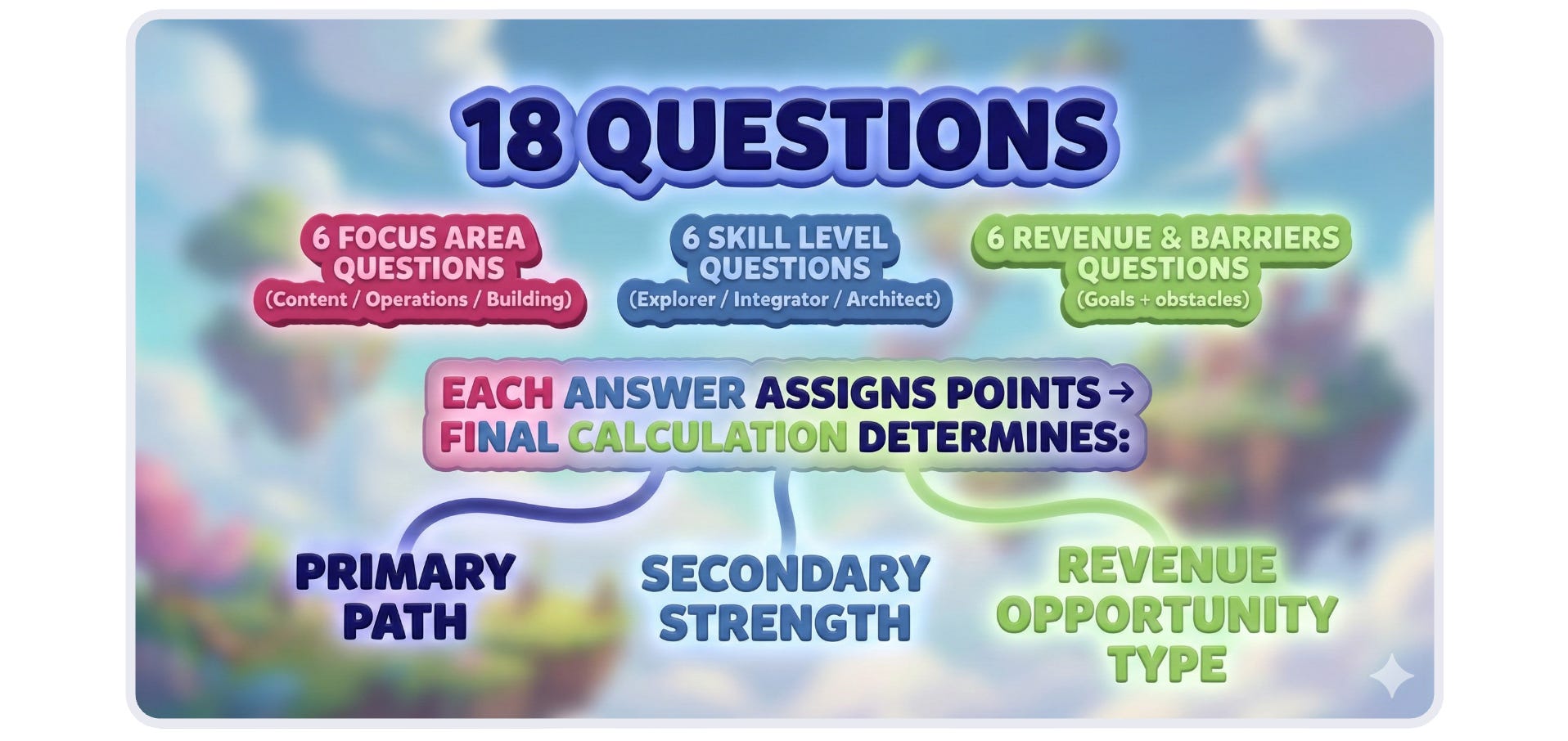
I mapped this out with Claude. The planning, understanding the structure, and then getting the prompt ready for Mocha (the tool I built the quiz on).
I love the explanations Claude gives for the structure we’re using (one of my favorite things to do is ask questions as I work with the LLMs).
It walks through the logic: “This question measures Content vs. Operations vs. Building focus. This answer gives +2 to Operations, +1 to Content. This one splits evenly across all three because the person is exploring.”
Having that clarity upfront meant I knew exactly what data I needed to collect and why… before I wrote a single question or designed a single page.
Making the Quiz Talk to My Email System
This is where it gets interesting…and where most people give up because it feels too technical (and is definitely part of a long-game strategy).
Here’s what I needed: Someone takes the quiz, gets their results, opts in, and their specific data flows directly into Kit as custom fields.
Now, when someone completes the quiz, Kit automatically receives their Primary Path, Secondary Strength, Revenue Opportunity, and Skill Level (as custom fields). They’re tagged as having taken the quiz.
This means I can send personalized email sequences based on their actual results. A Content Architect with a teaching focus receives different follow-up than an Operations Explorer building products. All automated through a single sequence with custom fields and code snippets.
What took longer than expected: Getting the opt-in to actually work. For whatever reason, Mocha has issues connecting with Kit’s API. After troubleshooting for longer than I’d like to admit, I went back to basics and used Kit’s direct opt-in form with the custom fields I created. Sometimes the simple solution is the right solution.
The lesson: Spend the time upfront to properly connect your systems. “I’ll do that later” usually means “I’ll never do that.”
The UX Decision I Almost Skipped
I wanted the quiz to look different, so I added Pixar-style character images for each question using Nano Banana 2.
It took an extra afternoon to generate, convert to .webp, and integrate them. I kept thinking, “Is this worth it?”
Yes. It matters.
Not because images make the quiz technically work better, but because they make people want to finish it. They create a sense of progression and make the experience feel intentional rather than generic (and it matters to me! 😉).
The little UX touches aren’t frivolous; they’re the difference between a tool people use once and a tool they tell their friends about.
What to Keep in Mind from the Start
Start with a minimum data structure; you can add complexity later (in other words, hold off on adding “everything but the kitchen sink,” lol).
Integration matters more than features.
UX isn’t optional (you know me, if software is ugly, I bounce, lol. Although I guess ugly is subjective. 😉).
Test with real data immediately.
Sometimes the simple solution is the right solution.
SPARK Spotlight 🔥
Let’s be honest, there’s a lot of noise in the AI space, but
cuts right through it with Product with Attitude. She moves past theory and dives straight into “vibecoding,” providing the step-by-step guides and templates you need to build products and automate workflows.
If you’re ready to stop talking about AI and start actually shipping with it, this is the practical roadmap you need.
A Little Brainpower 🧠
The lies the platforms tell. “The TikTok Creator Fantasy Is a Scam, and I’m Tired of Pretending It’s Not,” by
(so good!).I’ve noticed some new formats on Substack. “Substack is Becoming a Magazine Platform (And You Should Too),” by
.Haven’t pinned anything to Pinterest in a while? This might make you change your mind. “How I Brought 100K+ Visitors to My Substack via Pinterest,” by
.Tool Time 🛠️
Apps, Agents, & Automations: Users can create dashboards, client portals, and automation workflows instantly, enabling them to build tools and connect various services. Try Taskcade free here.
Video: A screen recording tool for Windows and macOS that combines recording, auto zoom, and editing in one streamlined tool. Try Motionik free here.
Video: A video editing platform that uses AI to generate ideas, speed up editing, and simplify workflow, making it easy for everyone to create viral videos. Use Cybercut.ai free here.
Graphics/Art: An AI-powered art platform that allows users to create images using pre-built models or by training their own models, with a suite of AI tools to enhance artwork creation. Try OpenArt.ai free here.
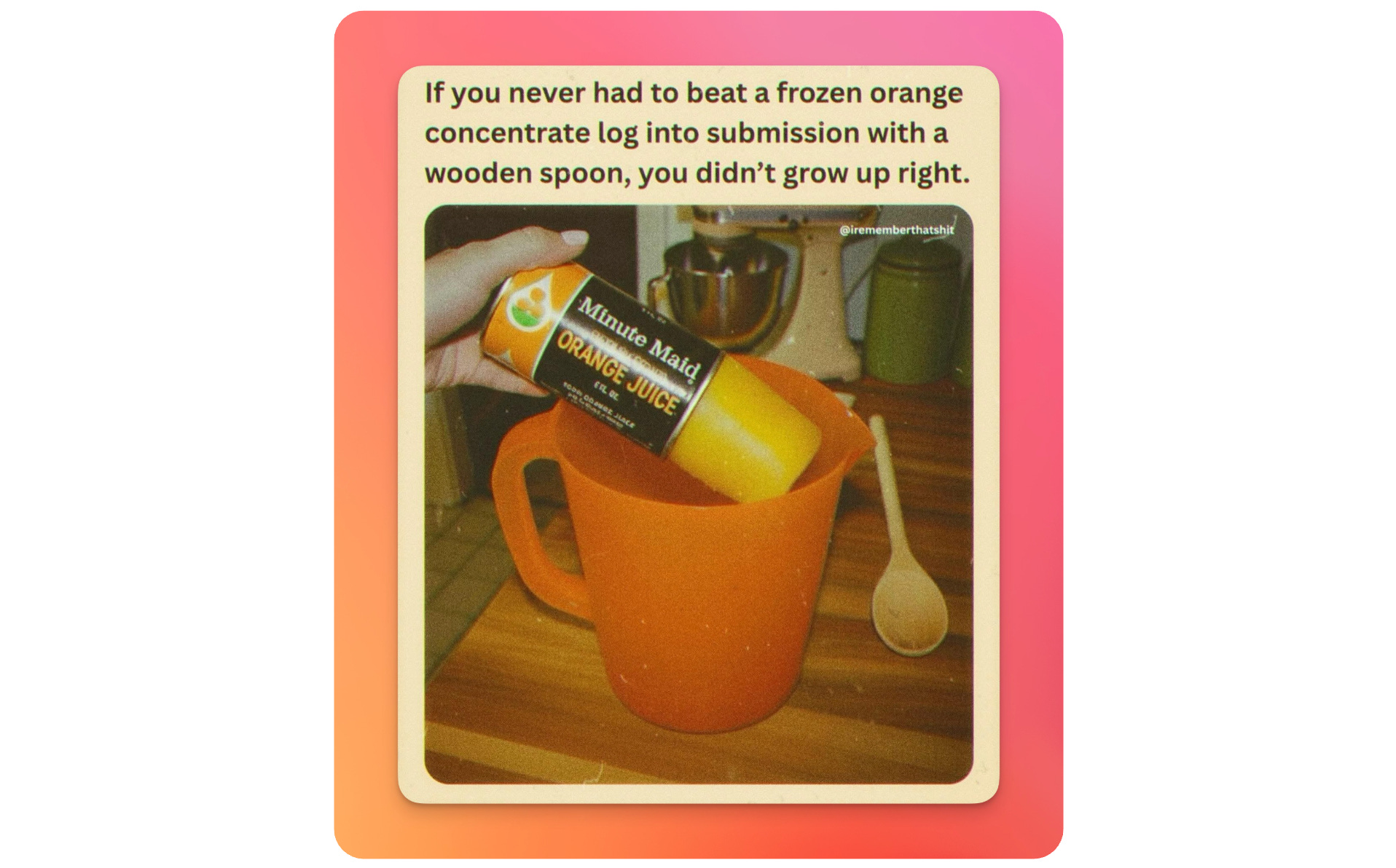
Pretty sure we had that orange pitcher, too 😂
The quiz goes live next week. I’m finishing the follow-up sequence on my own timeline because we’re in the last four weeks of 2025, and I’m done pretending year-end deadlines matter more than doing things right. 😉
If you’re feeling pressure to squeeze in “one more launch” before January, let it go. These final weeks aren’t for pushing harder. They’re for slowing down, wrapping up what actually matters, and giving yourself space to breathe.
Your idea will still be there in January. Create when you’re clear, not when you’re rushed.
Next week (Part III): The quiz will be live, I’ll share a video, and of course, I‘d love it if you’re up for testing it.
With coffee & kindness,
Kim
Eeeeep, can't wait to check it out, Kim! So close to launch!!
I made the mistake on clicking on your link to "Substack is Becoming a Magazine Platform..." just as I was logging out for the day... oops, now I am very distracted 🤩😅✨
That was a great read, Kim! And you’re absolutely right, the right visuals can make all the difference. Thank you so much for the shout-out!