

Quick answer: I built my website and platform with AI by mocking up the design in Gemini, then building in Cursor with Claude Code by describing each feature in plain English. It runs on Next.js, Supabase, Tailwind and Vercel, with a custom CMS, SEO fields and a members area. My advice: set voice rules and constraints first, and plan before you build.
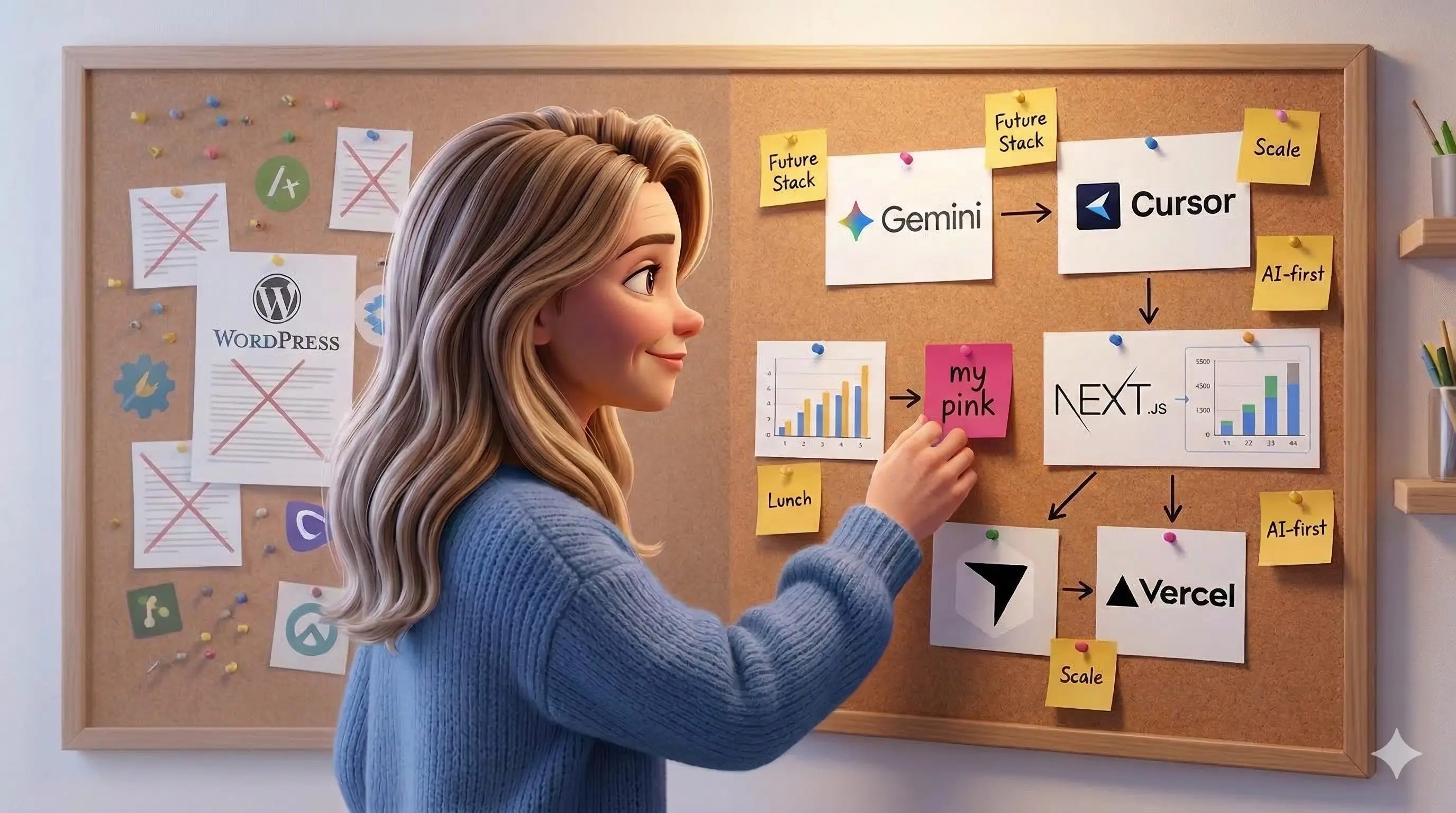

For 17 years, WordPress was my entire online identity.
And I’m not exaggerating. The first 10 years I was online, I was literally “The WordPress Chick.” I had the agency, the outsourcing company, the podcast — The WordPress Chick Podcast — and WordPress was the backbone of everything I built. Every client project, every personal site, every experiment ran on WordPress. In 2018, I pivoted to my personal brand, but I stayed on WordPress because... of course I did. When something has worked for over a decade, you don’t just walk away from it.
Fast forward to 2025 and vibe coding happened.
I’d been playing around with AI tools for a while, using them for content, brainstorming, and strategy. The usual stuff most people do. But when I started vibe coding (basically directing AI to build things by describing what you want in plain English, no coding required), something clicked immediately. I didn’t want to rebuild on WordPress.
Not because there’s anything wrong with WordPress… It’s still a powerhouse, and I have nothing but respect for it. But vibe coding was faster, I had more control over the design, and I could iterate in real time instead of wrestling with themes, plugins, and workarounds.
I’m not a coder, and I’m not a developer... I’m just very tenacious, and I know what I like. And that combination, it turns out, is enough. 😉

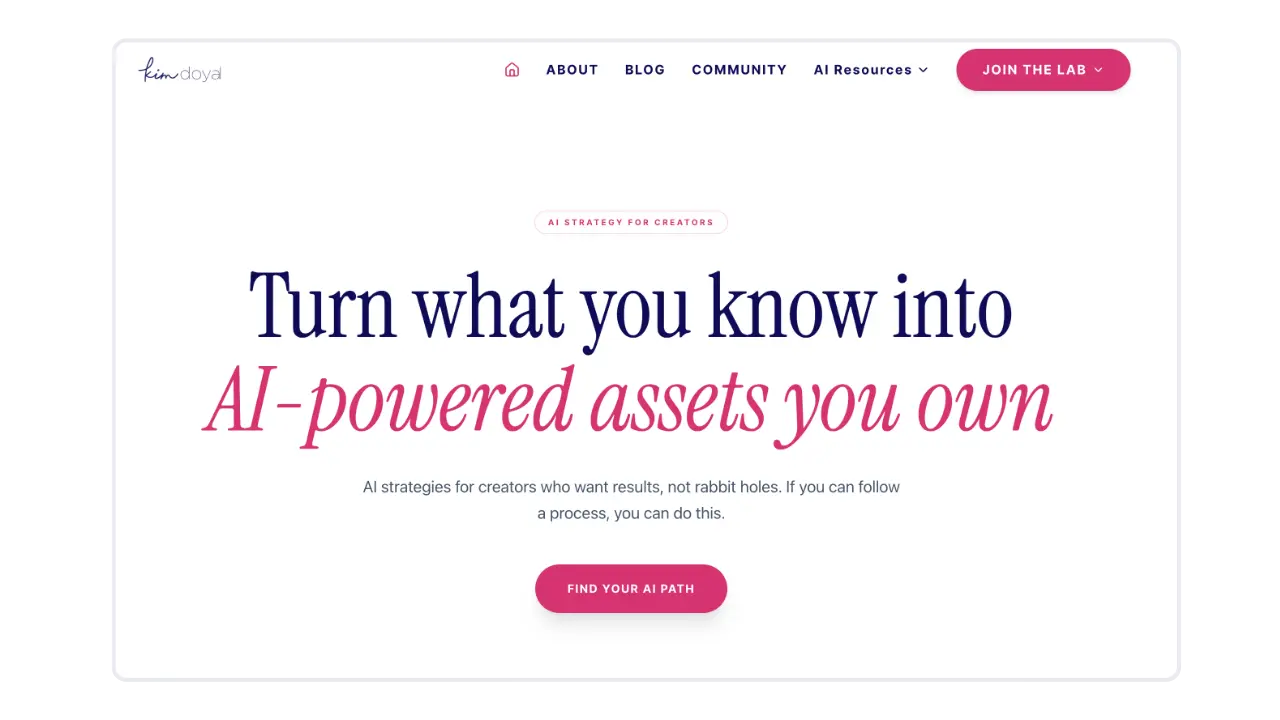
In mid-February, I relaunched kimdoyal.com, and it’s not just a website.
It’s a fully custom platform with my own CMS, SEO tools, a TipTap rich-text editor, a members area with a dashboard and directory, training infrastructure, and both an admin backend and a member-facing frontend. I built the kind of thing people pay developers thousands of dollars for, and I did it with AI, a long weekend, and 17 years of knowing what actually works online.
Here’s how it happened... and what I’d do differently if I started over tomorrow.
Why I Still Have a Personal Website
Before I get into the build, I need to say this: I am never putting all my eggs in one basket.
I love Substack. It’s my content hub, community, and pretty much the only platform I like to hang out on. But Substack is a platform I don’t own, and I’ve been online long enough to know what happens when you build your entire business on someone else’s land.
My website is my web property, my domain, my rules.
I control the design, the data, the SEO, the email capture, the content... everything. Substack is where I publish. My website is where I live. And that’s a distinction worth making if you’re building anything online.
The First Build: Mocha (And What I Learned the Hard Way)
The first version of my website that I vibe-coded was on Mocha (getMocha.com), and I just jumped in — page by page, no big plan beyond my brand colors and my instincts about what I liked. I was willing to figure it out as I went. The first few projects I built were on Lovable, but I made the move to Mocha when I found it (both solid choices if you prefer going that route).
Mocha uses Tailwind CSS, and it produced a decent site that I actually liked. Because I know enough about UI, UX, SEO, and the language of good design (even if I can’t write the code myself), I was able to work from what Mocha generated and start shaping it into something that felt like me.
But here’s where I hit the wall.
Without proper constraints and planning... without consistency in the foundation... things started breaking. Pages that looked great on Monday would fall apart by Thursday. Elements would shift, things I’d fixed would unfix themselves, and I kept going in circles. Mocha has gotten better since then, but at the time, I was spending more energy fighting the tool than building with it. And a huge thank you to Jenny Ouyang of Build to Launch for our call and her “Master Coding Constraints.”
What I wanted was more control and flexibility.
I wanted to be able to make iterations quickly without worrying that something else would break every time I changed one thing. And I knew that Claude Code within Cursor could give me that.
The Lightbulb Moment
I’d been putting off the rebuild for weeks, and the reason was simple: I’d built a huge directory on my site; AI tools, glossary terms, innovator spotlights. The thought of migrating all of that felt overwhelming.
Then it hit me. Instead of trying to move the whole site piece by piece, it would actually be faster to redesign from scratch and just move the content into the new build. Don’t migrate everything... redesign and import the content!
And while I was at it, why not build the whole thing?
Not just a front-facing website, but the backend infrastructure for my business. A custom CMS, a members area, training... the platform I actually needed, instead of stitching together five different SaaS subscriptions to approximate what I had in my head.
That’s when the project went from “rebuild my website” to “build my own platform.”
Starting with Gemini (Great for Mockups, Not for the Whole Build)
Before I opened Cursor, I went to Gemini.
I described who I am, what I wanted, my brand colors, my fonts... everything. And Gemini literally coded a gorgeous visual mockup. It was a working-looking site where you could see the layout, typography, color palette, and the whole vibe. All from a conversation.
Here’s the thing about Gemini for this kind of work: it’s fantastic for an initial mockup, maybe one or two pages. It’ll give you the code, the prompt, the whole package. But once that code gets too long on a single page (and it will), things start falling apart. I was losing elements, sections were disappearing, and the page just couldn’t hold it all.
So I stopped at the homepage.
I took what I had — which was essentially a style guide at that point — and said, “Let’s bring this to Cursor.” That’s my recommendation if you’re thinking about doing something like this: use Gemini to get your visual direction nailed down, then move to Cursor with Claude Code for the actual build (Claude Code can also build the design for you, but I wanted to iterate a bit before starting the actual build).
You’ll save yourself a lot of frustration (I’ve since moved to VS Code from Cursor, just for one less subscription 😉).
The Real Build: Cursor + Claude Code
This is where it all came together.
Cursor is a code editor (based on VS Code) with AI built directly in. You can chat with it, provide context about your project, and it writes code as you direct the process. Claude Code runs inside Cursor as an agent that can work across your entire project, not just one file at a time.
My actual workflow looked like this...
I’d describe what I wanted in plain English. Things like “add an SEO fields section to the blog post editor,” or “create a members dashboard with a sidebar nav,” or “build a training section where I can add modules with video embeds.”
*For the members area, I had already built out a complete platform in Lovable (before I had Jenny’s coding constraints and knew what I know now), so I took screenshots of everything and uploaded that to Cursor and told Claude Code to use the screenshots for the UI, just in my colors.
Then Claude, within Cursor, would think through the approach with me (the planning mode option is great for this). We’d work through the logic, the database structure, and the user experience together. This is the part people don’t realize — it’s not just “tell AI what to build, and it builds it.” It’s a conversation. I’d ask questions, push back on approaches that didn’t feel right, and refine until we had a solid plan.
Once we’d figured out the approach, I’d have it write the prompt for Claude Code to execute. Claude Code would then write the actual code across multiple files, handle the database migrations, and wire everything up (I know Claude could do the direct build, but I was watching the context usage, and per Claude, this was a smart approach. And… if Claude says so… haha, kidding, but still, it was a good workflow for saving on credits).
I’d review on localhost (that’s just the live preview on my computer), click around, test things, and give feedback. “Make that font bigger.” “Use my brand pink (#D53371).” “The spacing is off on mobile.” “This CTA needs to be more prominent.” And we’d iterate... again and again until it was right.
*My direction wasn’t that simplistic, but it was natural language. I dictate everything when I’m building and would simply look at the output and give direction.
It’s like having a developer sitting next to you who never gets tired of your “one more tweak” requests. (And trust me, I had a lot of those.)
But here’s what makes this actually work: context.
Cursor has a rules system that lets you store information about your project: your voice, your writing style, your brand guidelines, your workspace structure, and your preferences. So instead of re-explaining yourself every single session, the AI already knows who you are. I have rules for my voice, my brand colors, my content structure, my database schema... and every time I start a new conversation, the AI has the full picture. That’s the difference between fighting with a tool and collaborating with one.
If you want step-by-step instructions on how to build your own website, Daria Cupareanu has written the complete guide! Build a Website with Claude Code: Payments, Email, SEO & More.
What I Actually Built
Let me walk you through what’s on this platform, because the scope still kind of surprises me when I look at it all in one place.
The public website includes the blog, an AI tools directory, a glossary of AI terms, Innovator Spotlights (profiles of creators I admire in the AI space - this needs to be finished. It will quickly be populated by all the amazing AI creators on Substack), newsletter signup, and structured data for SEO across the whole site.
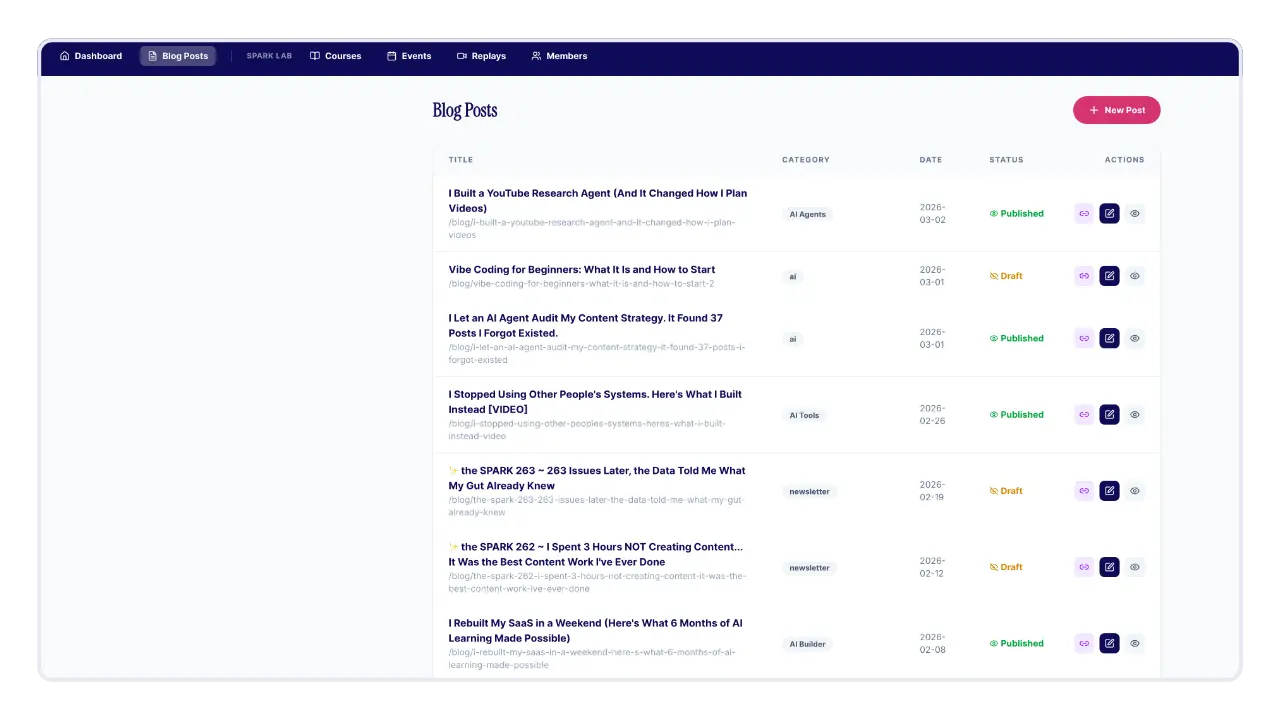
The custom CMS is honestly my favorite part. I built my own content management system with a blog post editor that has SEO fields (meta descriptions, keywords, all the things you need for search), image upload and management, and a TipTap rich text editor where I can drop in custom calls to action wherever I want them in a post. No WordPress plugins, no third-party CMS subscription... my editor, my way.
*Sidenote: Since I wrote the initial draft for this post, I’ve since created something a little different for the CMS, stay tuned! I’m on a mission to streamline things!
The Spark Lab members’ area is the piece I’m most excited about, and it’s launching at the end of March. I built the entire admin backend and the member-facing frontend — a clean member dashboard where everything they need is in one place, a members directory where people in the community can find and collaborate with each other, and a training and events section where I’ll house workshops, tutorials, and resources. This will be for the paid tier here.
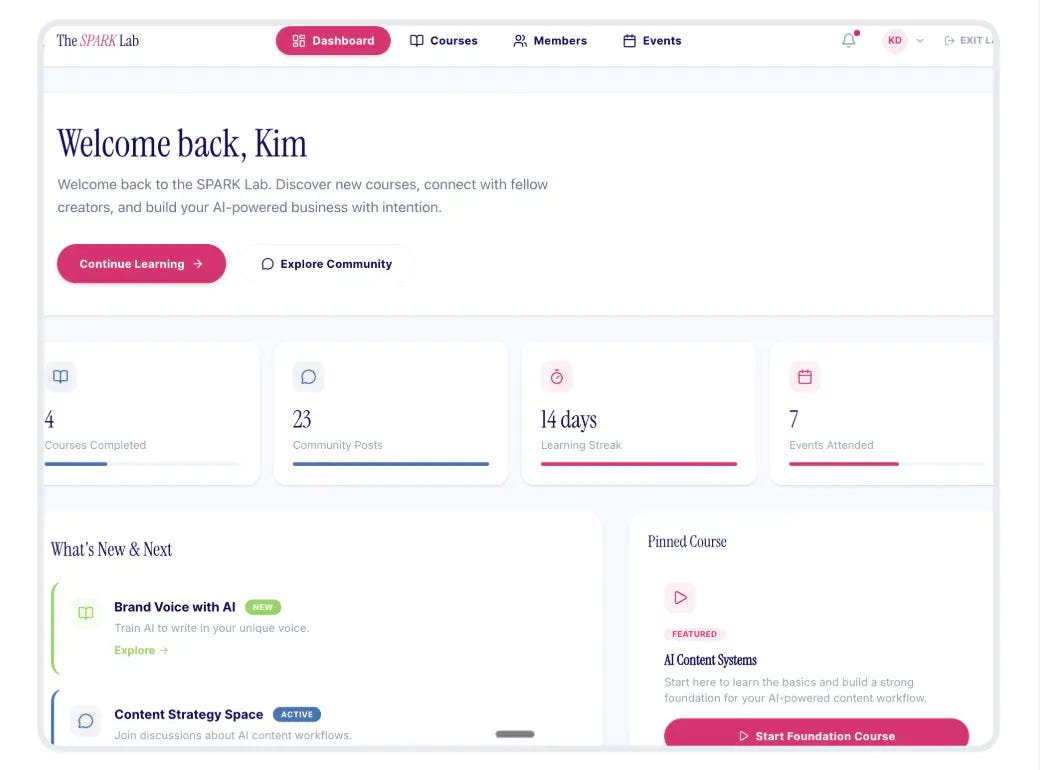
All of it custom-built with AI.
No Kajabi. No Teachable. No Circle. No $200/month subscription to a platform that almost does what you want but never quite gets there. I built exactly what I needed, and that’s the whole point of vibe coding — you’re not limited to what someone else decided a platform should look like.
You get to decide.
The Agents (My Favorite Shortcut)
One of the biggest accelerators in this build was using specialized agents — pre-written instructions that tell Claude to perform a specific task across your entire project.
I used Karen Spinner’s website sub-agent pack for Claude Code (you can get that here, it’s only $5) which gave me agents for accessibility consulting, brand editing, Creative Direction, SEO analysis, Thought Leadership copywriting, UI design, and Website Copywriting. For five dollars. These agents audited my entire site and caught things I never would have found on my own... voice inconsistencies, accessibility issues, SEO gaps, design problems that were hiding in plain sight.
I also built my own internal-linking SEO agent because I know how important internal links are for search. This agent scans each blog post, identifies natural opportunities to link to other pages on the site (e.g., tools, glossary terms, other posts), and automatically adds contextual links. Hours of manual work, done in minutes.
If you’re building anything with AI, agents are where you start getting real leverage. And you don’t have to build them all from scratch — find people who’ve already done the work, and build on top of it.
I also followed Dheeraj Sharma’s guides for his agents (you can read more about that here… and now I’m hooked on agents, lol) and have continued building my own. Post coming on this soon!

The Stack (For the Curious)
Here’s what’s under the hood, and if half of these mean nothing to you... That’s fine. You don’t need to understand the tech to understand the process, and that’s kind of the whole point.
Next.js is the framework that runs the site.
Supabase handles the database and storage.
Tailwind CSS is what makes things look good.
Vercel handles hosting and deployment.
Cursor is my AI-powered code editor.
Claude Code is the agent that does the heavy building.
Claude Desktop is where I brainstorm, write copy, and work through strategy.
Bento handles email marketing integration.
And Gemini is what I used for the initial visual mockups and design direction.
Launch Day
The day I pulled the trigger, I updated the DNS from Cloudflare to point to Vercel, waited for SSL to provision, verified everything worked on the live URL, did a final SEO check, and pushed it live.
No developer invoices. No months-long timeline. No cobbling together four different platforms at $200/month each to approximate what I needed.
Just me, AI, and 17 years of knowing what a good website needs.
What I’d Do Differently
I learned a lot building this, and if I started over tomorrow, here’s what I’d change.
Set up voice and brand rules from day one. I had these in Cursor when I built it, but a couple of weeks later, I followed Daria Cupareanu’s guide from this post, and the difference was night and day. If I’d had the new version from the start, the initial copy would have been so much closer to final. Constraints aren’t limiting... they’re liberating.
Start with constraints and planning before touching any code. My Mocha build taught me this the hard way. Having a clear database structure, a content plan, and design consistency before you start building saves you from the “fix one thing, break three others” spiral.
Use Gemini for mockups, then move to Cursor immediately. Gemini is brilliant for getting the visual direction right, but trying to build beyond one or two pages in it leads to chaos. Get your style guide, then go where the real building happens.
Design templates before populating content. I should have built the Innovator Spotlight template first, then populated them all at once, rather than building each page individually.
Stop being precious about 2-pixel differences. I spent way too long on tiny details that nobody but me would ever notice. Ship it, then refine. The site is never going to be “done” anyway — it’s a living platform, and that’s the beauty of owning it.
This Is What’s Possible Now
Here’s what I keep coming back to.
I’m 55. I started learning WordPress in 2008, one day at a time, with no coding background. And now I’ve just built a custom platform: CMS, members area, training infrastructure, SEO automation, the whole thing — with AI tools and the business knowledge I’ve spent nearly two decades building.
Not “AI built it for me.”
I directed every single decision. The strategy, the positioning, the user experience, the voice, the design... that’s all my 17 years of experience talking. AI executed what I couldn’t code alone.
And that’s the real story here. AI doesn’t replace what you know — it unlocks it. All that expertise you’ve been accumulating, all those years of understanding what works and what doesn’t, all those opinions about how things should look and feel and function... you can finally build exactly what you see in your head.
If that’s not the opportunity of our lifetime, I don’t know what is.
Kim, I am in awe of you. You are a powerhouse across all areas.
You built an entire website AND business infrastructure.
And then your post itself is so clear and well-written.
AND you do an amazing job bringing together resources across Substack.
I am truly astounded.
My current website is on WordPress. I definitely optimized for good enough to get out.
But now I’m itching to redo it. Who I am, what I want to do in my business has evolved. My brand needs to be tighter.
And I really want to do it with Claude Code.
You (and Sam) have inspired me.
I don’t know when I’ll finally start to put fingers to keyboard. But it’ll be soon. My spidey senses are tingling over it.
Thank you for bringing us along your journey every step of the way! I love seeing it!
Wow, congratulations for bringing all that together! I think what you did—building a platform tailored to your specific needs and business—is becoming a real alternative to tools like Kajabi.
Also thank you for the shout out! Glad my subagents put in some work. 😁