

Cutting Through Google's AI Chaos: The Creator's Roadmap You Actually Need
Stop drowning in Google's AI announcements. This 5-part series shows you exactly which tools to use (and which to ignore) to build a workflow that works.

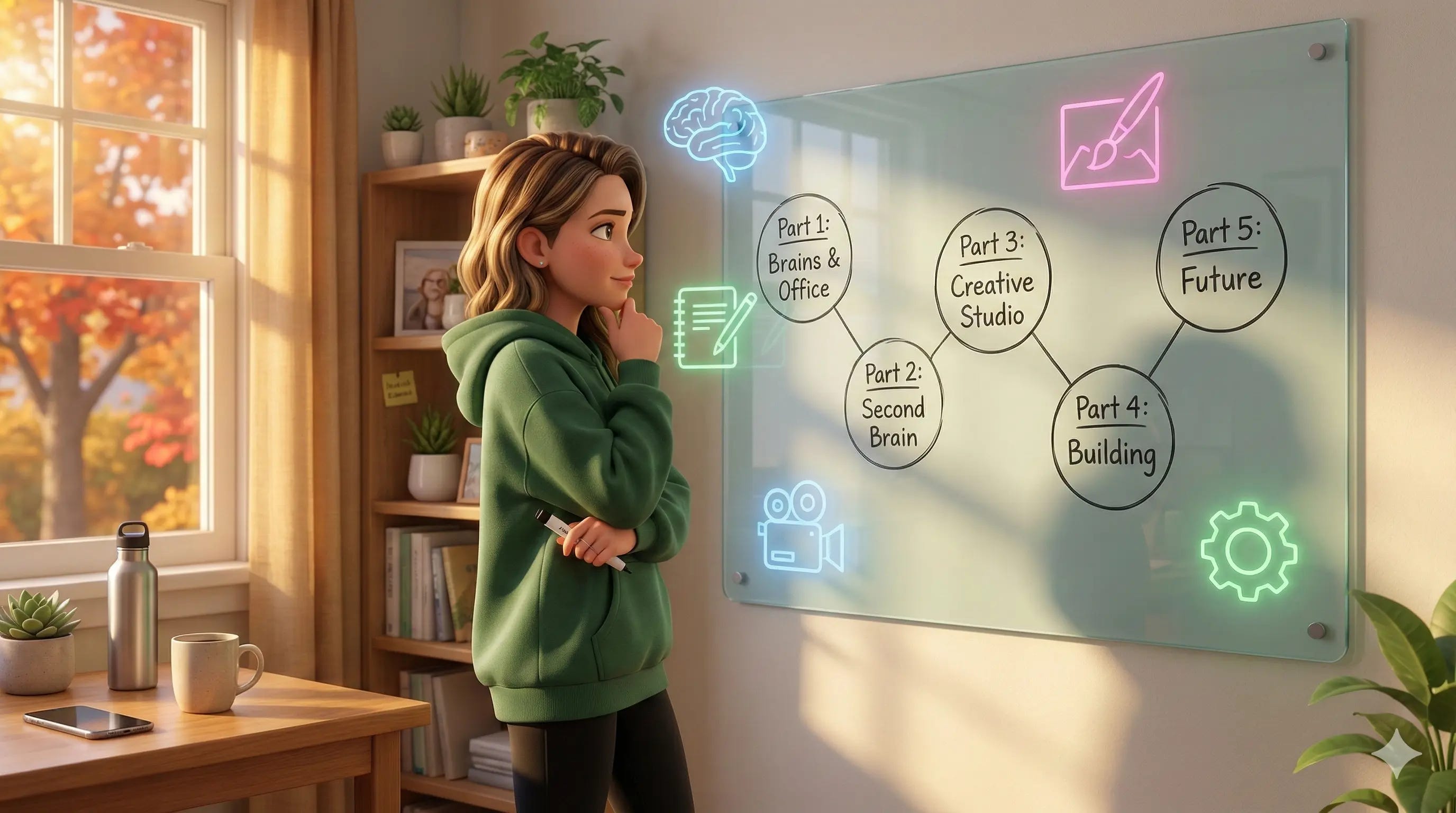
If you’ve tried keeping up with Google’s AI announcements lately, you probably feel like you need a PhD in computer science just to understand what’s going on.
First, there was Bard. Then, Google unified everything under Gemini—renaming both the chatbot and the ‘brain’ behind it. Duet AI (the helper inside Docs and Gmail) followed suit, officially becoming ‘Gemini for Workspace.’ Then came Gemma—not a replacement, but a lightweight, ‘open’ cousin built for developers. And just when you thought the dust had settled, they unleashed a wave of specialized creative models and tools like Veo (video), Imagen (visuals), Lyria (audio), and Gems (custom assistants).
It’s… a lot.
And honestly? It feels like walking into a TJ Maxx where everything’s piled in bins, and you can’t find your size.
As exciting as this is, it’s nearly impossible to keep up with.
Google releases incredible tools and then... barely tells anyone. You have to hunt through AI YouTubers, dig into Google Labs on your own, or stumble across announcements buried in blog posts nobody reads. Even those of us who live in this space have to actively search for what’s new. It’s ridiculous.
But here’s what I figured out: While it felt like Google was “asleep at the wheel” compared to OpenAI (we all knew they weren’t; it is Google after all), they were actually heads-down building one of the most powerful creator ecosystems on the planet.
The problem isn’t that Google lacks good AI tools. The problem is they’re terrible at explaining what any of it does or who it’s for.
Why You Need a Map (Not Another Hype Article)
Most AI newsletters treat every new release like breaking news. They dump “10 New Google Tools You Can’t Miss!” in your inbox, you bookmark half of them, and then never look at them again.
That creates two problems:
Shiny Object Syndrome: You sign up for five waitlists and never use any of them.
Paralysis: You assume it’s all too technical, so you stick with ChatGPT and miss tools that could actually save you hours of work every week.
I wanted to do something different.
For the last few weeks, I’ve been digging into the entire Google AI ecosystem—from the big enterprise cloud tools built for Fortune 500s to the experimental “toys” hidden in Google Labs (ever heard of Food Mood? Didn’t think so). I’ve stripped away the marketing fluff and the developer-speak to find the specific tools that help us learn faster, build better assets, and get our time back.
Google has released over 40 AI experiments.
Most of them are toys. But buried in that chaos are about 15 tools that could actually transform how you run your business.
I’m organizing what I found into a 5-Part Series: The Creator’s Guide to Google AI.
This isn’t a technical manual. It’s a business roadmap focused on quality over quantity—showing you the tools that matter and helping you ignore the rest.
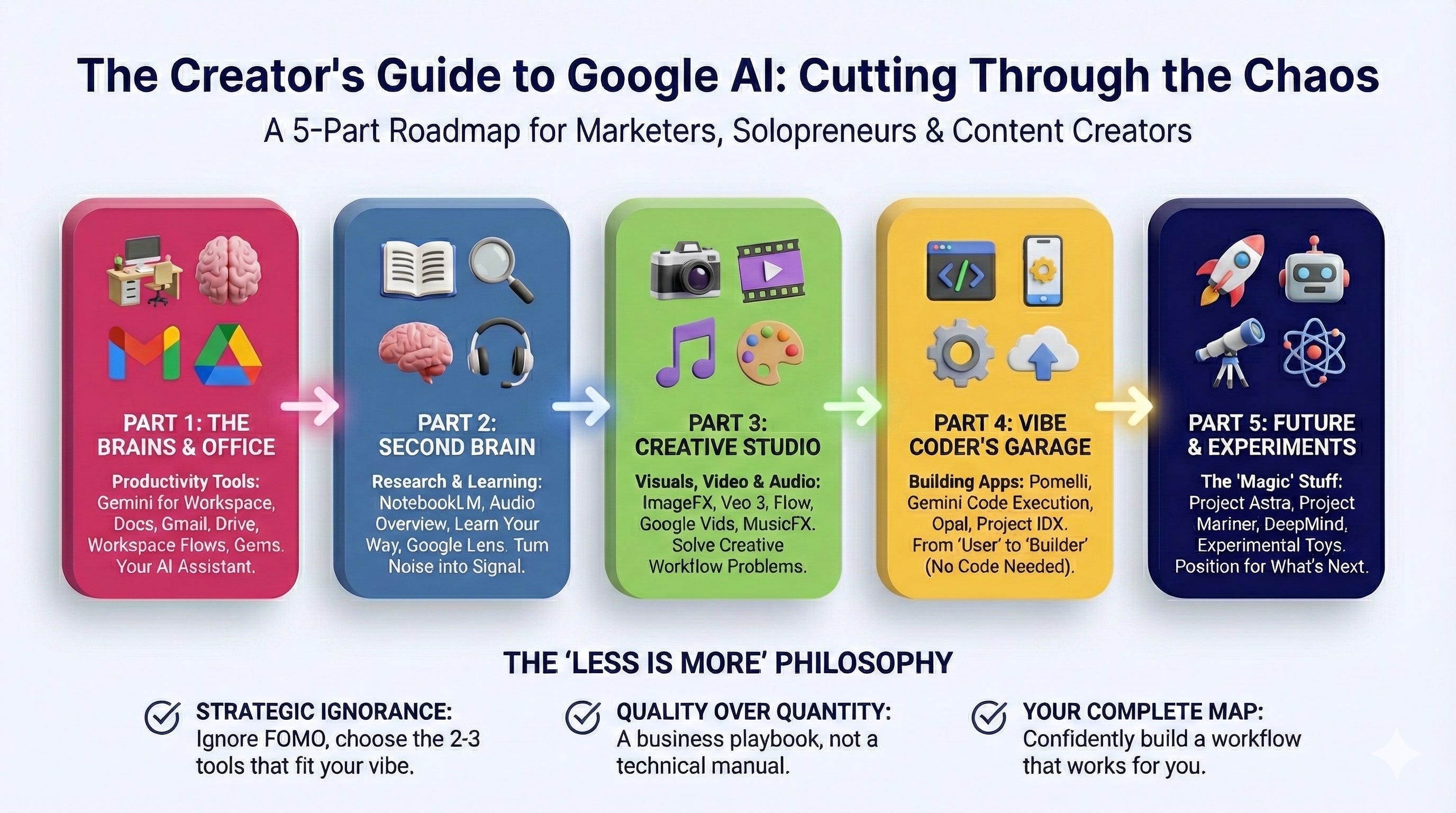
The Roadmap: What We’re Covering
Over the next few weeks, we’re going deep on specific categories so you can build a workflow that actually works for you. We’re not covering everything Google makes (you don’t need to know about their protein-folding AI unless you’re a biologist), but we are covering everything that moves the needle for your business.
Here’s the plan:
Part 1: The Brains & The Office (Productivity)
We’ll start with the daily work tools—the ones that live inside the apps you already use.
Most people are using the free version of Gemini and wondering why it feels different from ChatGPT. In Part 1, we’ll look at Gemini Advanced and, more importantly, Gemini for Workspace—the features that live inside your Docs, Gmail, and Drive.
But here’s where it gets interesting:
Google just launched Workspace Flows, which is basically their answer to Zapier, but powered by AI that can actually reason. Instead of simple “if this, then that” automation, you can build multi-step workflows using plain language and your custom Gemini agents (Gems).
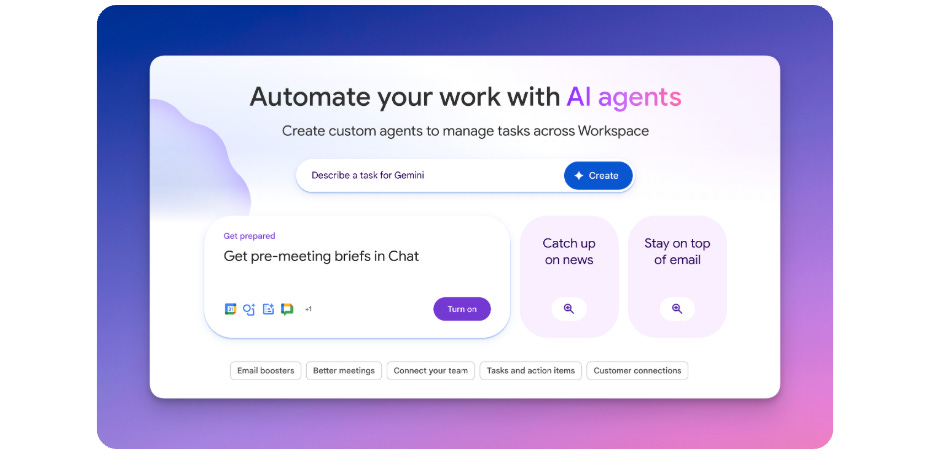
The “Why”: Imagine having an assistant living inside your Google Docs who can rewrite your messy drafts, someone in your Gmail who can summarize a 40-email thread into three bullet points, and workflows that automatically handle your repetitive processes without you touching a third-party app.
Part 2: The Second Brain (Research & Learning)
If you only read one part of this series, make it this one.
We’re diving deep into NotebookLM, the tool that completely changed how I consume information. You upload your own sources (PDFs, websites, videos), and it becomes an expert on only that material. No generic internet fluff, just answers based on what you give it.
Prefer listening to your research?
The Audio Overview that turns your research into a realistic podcast. But NotebookLM just added something even more useful: the ability to create infographics and videos. You can now turn your notes into visual content without leaving the tool (I made the Creators Guide to Google AI image with the help of NotebookLM. I took what it created, then used Nano Banana 2 to change it up).
We’ll also look at Learn Your Way (transforms content into personalized learning experiences), Little Language Lessons (bite-sized language learning), Google Lens (visual search), and Circle to Search (search anything on your screen without switching apps).
The “Why”: As entrepreneurs, we’re drowning in information. These tools turn that noise into a signal and help you actually remember what you learn.
Part 3: The Creative Studio (Visuals, Video & Audio)
Google has a “Creation Lab” hidden within its ecosystem, packed with tools most people have never heard of.
We’ll break down the image generation landscape: the new “Nano Banana 2” (my default for images lately), ImageFX (with variations in size and style), and Whisk (the brand-new image remixing tool that just launched).
For video, we’re looking at Veo 3 (their latest video generation model), Flow (for creating consistent characters and scenes), and Google Vids (for making business presentations and training videos).
We’ll also cover MusicFX (royalty-free music generation), Mixboard (AI-powered mood boards), and GenType (custom typography from any concept you can describe).
The “Why”: If you’ve ever struggled to get a blog post image in the right aspect ratio from a chatbot, or paid for stock footage you could’ve generated yourself, these tools solve real creative workflow problems.
Part 4: The Vibe Coder’s Garage (Building Apps)
“I’m not a coder.”
I hear this all the time. But with the tools in this section, you don’t need to be.
We’ll explore Pomelli (helps you build scalable marketing content), in-chat code execution in Gemini (build and run apps right in the conversation), Opal (build shareable mini-apps using natural language), Google AI Studio (the prototyping playground), and Firebase Studio (an AI-first code editor).
The “Why”: This is about moving from “user” to “builder.” You’ll learn how to spin up simple tools to automate your own workflows without writing a single line of complex code.
Part 5: The Future & The Experiments
Finally, we’ll look at the “magic” stuff. We’ll peek behind the curtain at Project Astra (Google’s vision for a universal AI assistant), Project Mariner (browser automation), DeepMind’s research (like AlphaFold), and the fun experimental toys.
The “Why”: Because seeing where the tech is going helps you position your business for what’s coming next year, not just next week.
The “Less is More” Philosophy
My goal with this series isn’t to give you a longer to-do list. You do not need to use every single tool we cover.
In fact, my goal is the opposite. I want to give you the complete map so you can confidently pick the two or three tools that fit your vibe and ignore the rest with zero FOMO.
Maybe you need NotebookLM for research, but have no use for video generation. Great. Now you know.
This is about strategic ignorance - knowing what’s available so you can make an informed choice, rather than letting the fear of missing out drive your decisions.
Part 1 drops next, and we’re getting straight to work.
If you have a specific question about a Google tool you’ve been afraid to ask, hit reply. I’ll cover it in the series.
“Strategic ignorance” is so spot on. Thanks for being our guide again Kim!
Wow love this. My AI stack is 90% Google haha. Can't wait for these series!